
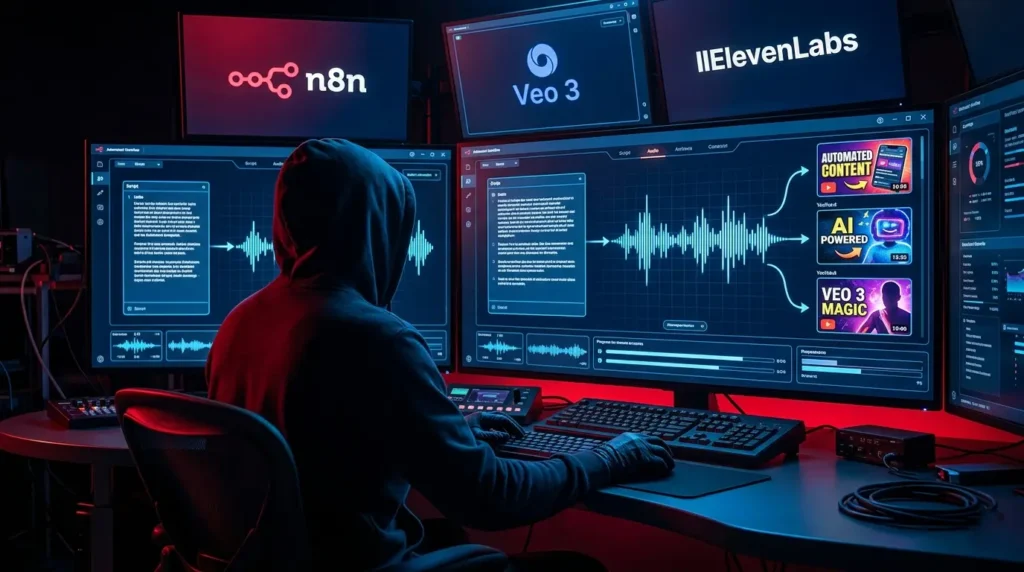
Are you tired of spending endless hours scripting, recording, and editing videos just to keep your YouTube channel alive? You’re not alone. Most content creators feel the strain of the manual grind—but what if you could automate everything and still grow your channel?
With recent advances in AI and workflow tools, faceless YouTube automation is now a reality. In this guide, you’ll discover a fully automated pipeline powered by n8n, Veo 3, and ElevenLabs. Forget the camera and the editing software—let automation do all the heavy lifting while you focus on brainstorming the next big idea.
What Is Faceless YouTube Automation?
Faceless YouTube automation is the process of using technology to create, edit, and publish YouTube videos entirely without showing your face or touching editing tools. It’s an ideal setup for creators who value privacy or simply want to save time.
This method leverages a mix of AI-powered software to automatically generate scripts, create voiceovers, build visuals, and upload finished videos. You can literally run your channel on autopilot!
Why Go Faceless and Automated?
- Save time: No more hours spent filming or editing.
- Stay anonymous: Perfect for camera-shy creators or niche channels.
- Consistent uploads: Automation ensures a steady content pipeline to keep your audience engaged.
- Scale up fast: Run multiple channels or experiment with different topics risk-free.
Whether you want to start a new niche channel, grow a side hustle, or simply experiment, this workflow removes major roadblocks.
How to Set Up Your Faceless YouTube Automation Pipeline

Let’s break down the process you’ll follow to create faceless YouTube videos automatically. This workflow combines three powerful tools:
- n8n: The automation engine orchestrating the workflow.
- Veo 3: AI-powered video generator creating visuals.
- ElevenLabs: Advanced AI text-to-speech for ultra-realistic voiceovers.
Step 1: Automate Script Generation with AI
Instead of writing video scripts manually, connect n8n to a large language model (like OpenAI’s GPT-4 or Gemini Pro). Set up your workflow so n8n spins up unique, engaging video scripts based on the topics you specify or trending keywords.
- Fetch current trends or topics using an API or RSS feed.
- Auto-generate a script using the AI model.
- Edit or approve scripts if you want a final review (optional).
Step 2: Convert Scripts to Professional Voiceovers with ElevenLabs
Once the script is ready, n8n sends the text to ElevenLabs, which produces a lifelike narration in seconds.
- Choose from a variety of voices (male, female, accents).
- Adjust tones, pacing and emphasis for the perfect delivery.
- Return polished audio files, ready for video assembly.
Step 3: Create Stunning Visuals with Veo 3
Faceless YouTube videos rely on captivating visuals. Veo 3 uses your script or keywords to generate beautiful footage, stock clips, or themed animations without the need for filming.
- Feed your script (or snippet) to Veo 3.
- Set desired styles or templates for each video series.
- Automatically add relevant imagery, motion graphics, and transitions.
Step 4: Seamless Video Assembly & Auto-Publishing
With the script, voiceover, and visuals complete, n8n handles the assembly. It merges the audio and visuals into a final video file, adds a catchy title, description, and tags tailored for YouTube SEO, and uploads it straight to your channel.
- Combine narration with the generated video.
- Auto-generate metadata and a thumbnail (using AI design tools if desired).
- Publish to YouTube—no manual work needed.
Best Practices for Automated Faceless YouTube Videos
With faceless YouTube automation workflows, consistency and quality are key. Here’s how to maximize your results:
- Focus on value: Use topic research tools to find questions and problems your audience cares about.
- Sound human: Tweak ElevenLabs settings for a natural, conversational narration (avoid robotic voices).
- Test visuals: Experiment with Veo 3 templates and stock libraries for fresh, eye-catching results.
- Monitor performance: Use YouTube Analytics to see what’s working and refine your scripts or visual style.
Long gone are the days of silent slideshows or boring, generic voiceovers. With these tools, your faceless channel will keep viewers hooked and craving more!
Tools and Resources for Effortless Faceless YouTube Automation
- n8n: Free, open-source automation tool. Connects to hundreds of apps and APIs (perfect for creators).
- Veo 3: Next-gen AI video generation. No camera, no hassle—just type what you want to show.
- ElevenLabs: Best-in-class text-to-speech engine with natural voices and customization.
- AI script generators: (like ChatGPT or Gemini) for script writing in any niche or style.
Other helpful tools include AI thumbnail creators, YouTube SEO optimizers, and content calendar apps. Combine these with your automation flow for a true set-and-forget experience!
Conclusion: The Future of Content Creation Is Automated (and Faceless!)
If you’ve ever wondered if you can run a successful YouTube channel without ever picking up a camera, the answer is a resounding YES. With faceless YouTube automation using n8n, Veo 3, and ElevenLabs, anyone can produce high-quality, engaging videos at scale.
Now is the time to embrace automation. Free up your creativity, reclaim your time, and let technology handle the rest!
Ready to try your hand at automated video creation? Share your biggest automation idea in the comments below — or let us know which tools you’re most excited to try!

Praktisch. Schau dir Luna Lisa Alpha an: . Luna Lisa Alpha
Claro e prático. Experimente WanVideoGen em . WanVideoGen